By default every android application is separate thread which called main thread. If any one want to run any work which take more than ten second and run at in the main thread . then your application must to terminated unexpectedly . To avoid this problem you must create second thread and do the long running process in this separate thread. when process in come to end then its result are now passed to main thread for user.Then your Application will be run smoothly. Android used different type of threads some are given below. Timer () ( for repeated task again and again) Thread and Handler (Both repeated and long running program) Service (most preferable for long and background task )
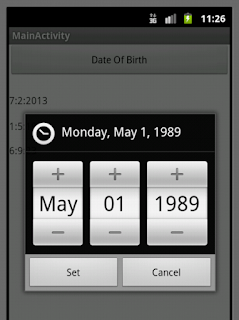
In this application we calculate total year, months and day of our age. You simply enter Data of Birth to calculate it. Let start the fun First we Create AgeCalcualtion class where we add all calculation method to calculate Year, Months and Day from date of Birth public class AgeCalculation { private int startYear; private int startMonth; private int startDay; private int endYear; private int endMonth; private int endDay; private int resYear; private int resMonth; private int resDay; public String getCurrentDate() { Calendar c=Calendar.getInstance(); endYear=c.get(Calendar.YEAR); endMonth=c.get(Calendar.MONTH); endMonth++; endDay=c.get(Calendar.DAY_OF_MONTH); return endDay+":"+endMonth+":"+endYear; } public void setDateOfBirth(int sYear, int sMonth, int sDay) { startYear=sYear; startMonth=sMonth; startMonth++; startDay=sDay; } public void calcualteYear() { resYear=endYear-startYear; } public void calcualteMonth() { if(endMont...
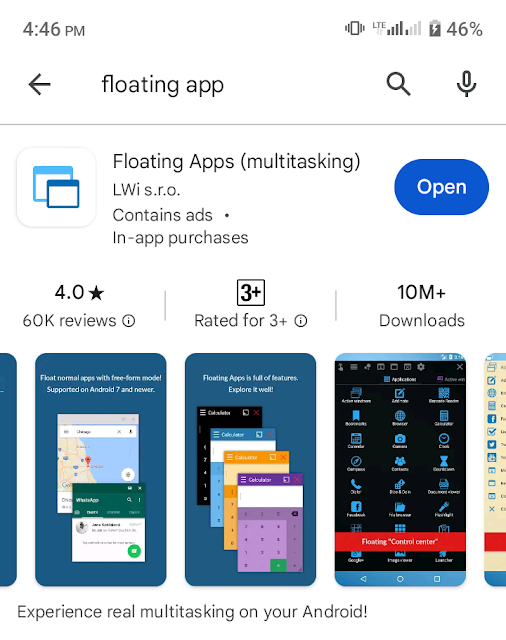
In PC we have the facility to open multiple software at the same time and can minimize the screen of each software to see 3 or 4 application in PC screen. In mobile we can run and open many apps at the same time, but at the same time we can see one app, and toggle among the open apps. This is the app which the feature of opening multiple apps in mobile like a PC. You can see multiple apps running in your mobile screen. Let start the whole trick and method step by step. 1. Download and install Floating App (Multitasking ) After installing this apps, now you can run multiple apps at the same time in you mobile, In the above screen shot you can see that , calculator, google map, Whatsapp are open in small window. 2. Open floating app and run YouTube in this application. 3. Now minimize Floating app screen after start your channel play list in this app. After minimize your mobile screenshot, your channel video in running in background, 4. Open Multi...
Comments
Post a Comment